Ozone-Sim
High-speed embedded software simulation for debugging, coverage analysis, and CI/CD
- Ultra-fast embedded software simulation with hundreds of millions instructions per second
- Advanced backtracing, profiling, and live execution insights via seamless Ozone integration
- Flexible deployment as an Ozone component, standalone simulator, or GDB server
Key features

Ultra-fast simulation
Run embedded applications at speeds of hundreds of millions instructions per second. Accelerate software validation, regression testing, and automated build verification without requiring target hardware or a J-Link connection.
Seamless Ozone integration
Launch simulations directly from Ozone and use familiar debugging workflows, including source-level debugging, profiling, backtracing, live instruction counters, timeline analysis, and execution statistics.

Flexible interface
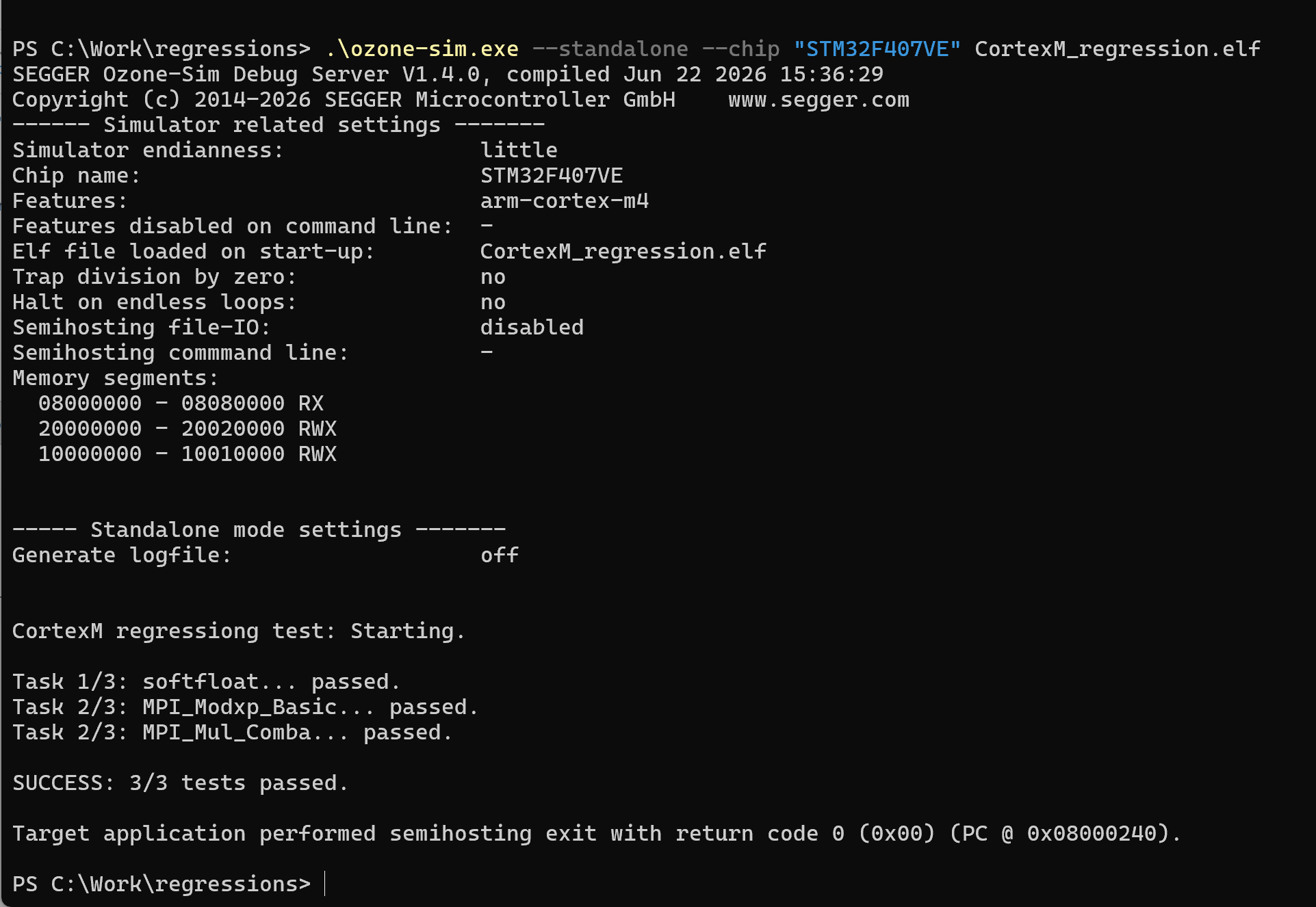
Use Ozone-Sim as an integrated Ozone component, a standalone command-line simulator for automated testing, or a GDB server for third-party debugging tools. Easily integrate simulation into development workflows, CI pipelines, and automated test environments.
Advanced analysis with Ozone
Ozone-Sim can be used together with the Ozone debugger, allowing you to simulate application execution without target hardware. Switching between real hardware and a simulated environment is straightforward, making it easy to move between development, testing, and analysis. Ozone provides a range of system and performance analysis features that complement the simulator:
- Profiling and performance analysis: Use Ozone's powerful analysis capabilities to gain insight into application behavior, execution flow, and performance bottlenecks.
- Live instruction counters: Monitor instruction execution statistics in real time during program execution to identify efficiency issues immediately.
- Backtrace support: Analyze call stacks and execution paths to simplify debugging and accelerate root-cause analysis.
How integration into Ozone works
Combined with Ozone, Ozone-Sim enables efficient debugging, profiling, and automated testing in a single workflow.


1. Build the application
Compile and prepare the executable.


2. Configure the simulation
Launch Ozone and select Ozone-Sim as the target.


3. Load the executable
Import firmware into simulation environment.


4. Debug and analyze code
Run, inspect, profile, and validate firmware behavior.


5. Review execution insights
Review execution metrics and backtraces.
Using Ozone-Sim in other IDEs
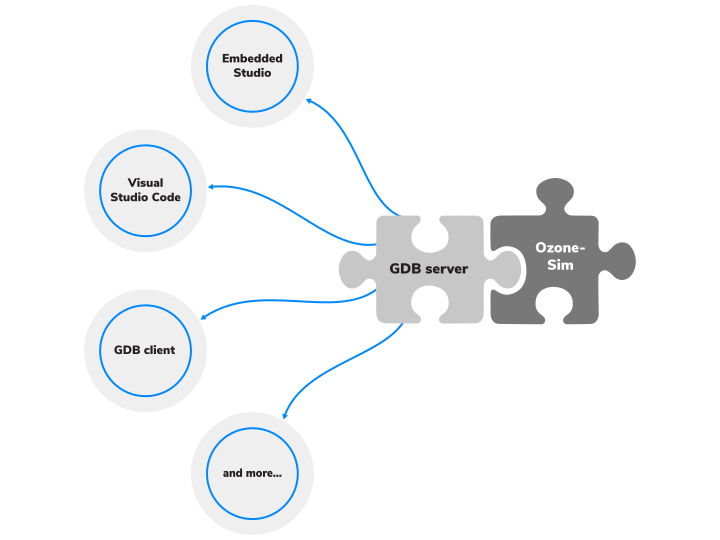
Ozone-Sim includes an integrated GDB server interface, allowing it to be used with a wide range of third-party debuggers and development environments. This extends simulation capabilities beyond Ozone and enables use within existing development workflows.
- Flexible toolchain integration: Incorporate hardware-free simulation into existing development environments and debugging workflows.
- Standard GDB connectivity: Connect compatible tools through a standard GDB client connection for reliable, standardized communication between the simulator and external development tools.
Supported target architectures
Ozone-Sim supports RISC-V and Arm architectures, as well as select Helium instructions, providing a flexible foundation for software development, debugging, and testing. Support for additional architectures and instruction set extensions may be added in future releases.
| Architecture | Supported targets |
|---|---|
| Arm | Armv5, Armv6-M, Armv7-M, Armv7E-M, Armv7-A, Armv7-R, Armv8-M, Armv8-A (AArch32), Armv8-R (AArch32), Armv8.1-M* |
| RISC-V | RV32 and RV64 with extensions A, C, D, E, F and M |
* Armv8.1-M support excludes half-precision floating point and includes a subset of the M-Profile Vector Extension (Helium).
System requirements
Operating systems
| Operating system | Version |
|---|---|
| Windows | Microsoft Windows (x86-64/Arm64) |
| macOS | macOS (x86-64/Apple Silicon) |
| Linux | Linux (x86-64/Arm64) (List of supported distributions) |
Hardware
| Hardware component | Item |
|---|---|
| CPU | 1GHz or better |
| Memory | 1GB RAM |
| Disk space | 1GB |
Licensing

Licensing
Ozone-Sim is bundled with and installed as part of the standard Ozone package but requires a separate license key. To use the full hardware-free simulation capabilities within the Ozone debugger, active licenses for both Ozone and Ozone-Sim are required.
You can evaluate the full feature set of Ozone-Sim free of charge. The 30-day evaluation period begins upon first use, whether Ozone-Sim is used within Ozone or as a standalone simulator. This allows developers to experience the high-speed simulation environment immediately without having to request a trial license.
FAQ
Can I test embedded software without target hardware?
Yes. Ozone-Sim allows developers to simulate and validate embedded applications without target hardware or a J-Link connection, enabling faster development and automated testing workflows.
Does Ozone-Sim support third-party debugging tools?
Yes. Ozone-Sim can operate as a GDB server, allowing compatible third-party debuggers and development environments to connect using the standard GDB protocol.
How does Ozone-Sim integrate with Ozone?
Integration is completely effortless. Since Ozone-Sim is natively bundled with Ozone, it is ready to use right out of the box. You simply launch Ozone and select Ozone-Sim as your host interface directly within the project configuration. Ozone automatically handles the rest behind the scenes, instantly unlocking full source-level debugging, profiling, and live analysis capabilities without needing external configuration.
How fast is Ozone-Sim?
Ozone-Sim can execute embedded applications at speeds of up to 700 million instructions per second (on an AMD Ryzen 9), enabling rapid software validation, regression testing, and automated build verification.
What analysis and debugging capabilities does Ozone-Sim provide?
Ozone-Sim supports advanced analysis and debugging features, including profiling, backtracing, live instruction counters, execution statistics, and timeline analysis to help identify performance issues and simplify root-cause analysis.
Do I need a J-Link debug probe to use Ozone-Sim?
No. Ozone-Sim is a pure software simulator. You can run, debug, and profile your embedded applications entirely hardware-free, without requiring a physical J-Link or target board.
Is Ozone-Sim suitable for automated CI/CD pipelines?
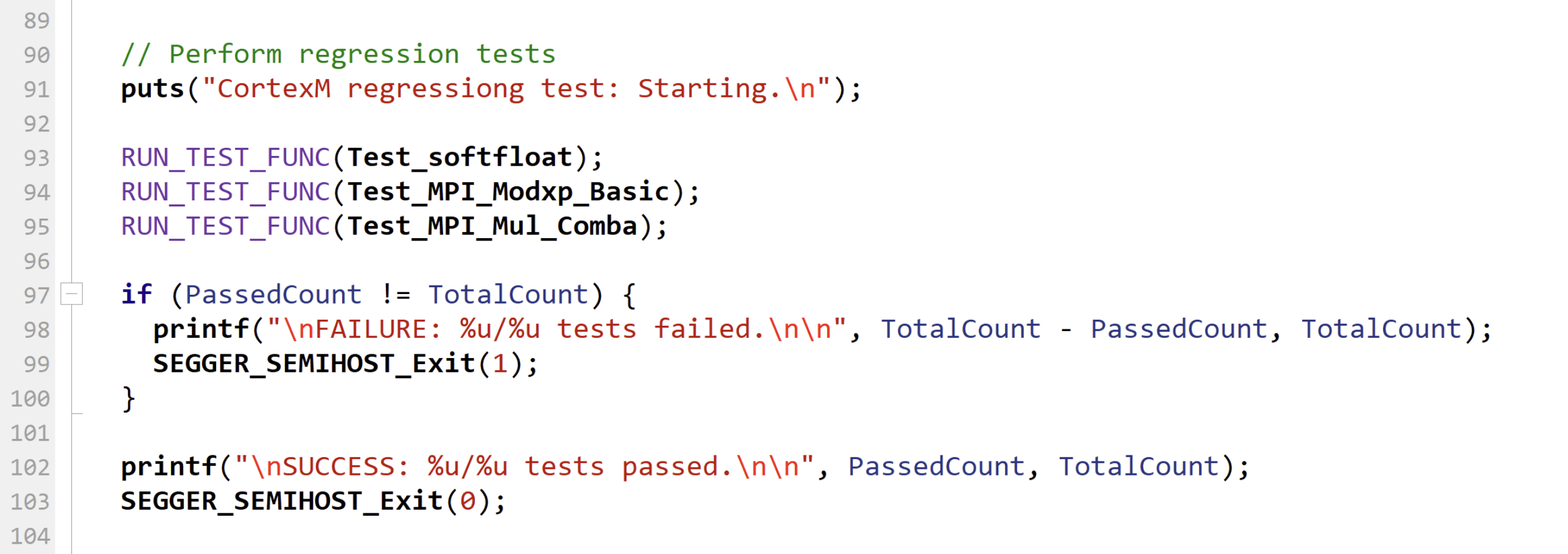
Absolutely. Ozone-Sim features a powerful standalone mode that allows headless execution directly from the command line. With integrated semihosting support, you can pass test parameters and log test results directly to files, making it perfect for regression testing and continuous integration.
Which architectures are currently supported?
Ozone-Sim supports Arm (including Arm v5, v6, v7, v8 (ARM32), and select Helium instructions) as well as RISC-V architectures. We are continuously expanding instruction set support.
Can I use Ozone-Sim with debuggers other than Ozone?
Yes. Thanks to its integrated GDB server interface, Ozone-Sim acts as a standard GDB target. You can easily connect it to third-party IDEs, including Visual Studio Code, SEGGER Embedded Studio, or any generic GDB client.
What is semihosting, and how does Ozone-Sim utilize it?
Semihosting is a mechanism that allows an embedded application running on the simulator to communicate directly with the host PC. Ozone-Sim features built-in semihosting support, enabling your simulated code to perform input/output operations—such as reading configuration files, printing debug messages, or writing test logs—directly on your development machine or CI/CD server.
Can I use semihosting for automated regression testing?
Yes, absolutely. This is one of the primary use cases for Ozone-Sim's standalone mode. You can pass test parameters to your application via the command line and use semihosting to read test vectors from files and to write the test results or execution logs. This allows for fully automated, headless verification without human intervention.
Does Ozone-Sim support emulation of device peripherals?
At this point, Ozone-Sim does not support emulation of device peripherals. Support may be added in a future release. Ozone-Sim does include emulation of the Cortex-M SysTick, allowing operating systems such as embOS to be simulated.
Related content
Get in touch with us
Have questions or need assistance? Our Embedded Experts are here to help!
Reach out to us for:
- Licensing quotes
- Technical inquiries
- Project support