• Products
  • Software evaluation
  • Downloads
  • Free utilities
  • Purchase
  • Silicon Vendors
  • Support
  • About us
  • Blog
  • Forum
  • Search
  • Jobs
  • Newsletter
  • Blog
  • Contact
  • Shop
  • embOS

    MPU add-on

    The sandboxing feature for embOS

    • Adds task-level memory protection and isolation to embOS-Classic and embOS-Ultra
    • Uses the privilege level and hardware memory protection of supported microcontrollers to improve system robustness
    • Restricts memory access between tasks to detect faults and prevent interference
    Contact us
    Image of software package icons featuring "embOS-Classic," "embOS-Ultra," and "MPU Add-On." The icons are designed in a sleek, modern style with a black background and turquoise accents, representing different versions and add-ons of the embOS operating system.
    1. 1.Key features
      1. 1.1.Memory protection
      2. 1.2.High reliability
      3. 1.3.Impressive flexibility
    2. 2.Use cases
      1. 2.1.Reliability in safety-critical systems
      2. 2.2.Data integrity in embedded applications
      3. 2.3.Stability in consumer electronics
    3. 3.How the MPU add-on works
    4. 4.MPU support in embOS-Safe
    5. 5.Latest news

    Key features

    A teal circular icon featuring a white shield shape with a folder symbol inside. This design represents security and protection for data or files.

    Memory protection

    The MPU add-on ensures that unprivileged tasks operate within strictly defined boundaries for memory and resources, preventing these tasks from affecting other tasks or an operating system. All unprivileged tasks are fully sandboxed.

    An icon featuring two overlapping gears on a teal circular background, symbolizing settings or configuration. This design represents functionality or mechanical processes.

    High reliability

    Through the strict separation of privileged and unprivileged tasks, a system remains stable even in the event of failure. Critical functions can continue running independently.

    A circular teal icon featuring a white, wavy line in the center, flanked by upward and downward arrows. The design symbolizes movement or fluctuation, suggesting a concept related to changes in direction or levels.

    Impressive flexibility

    Unprivileged tasks can be granted controlled access to memory regions, peripherals, and RTOS objects. This allows developers to define permissions precisely, ensuring both security and efficient resource utilization.


    Use cases

    From battery-powered single-chip products to systems that demand ultra-fast responses, flexibility, and the ability to schedule multiple tasks, the MPU add-on provides a robust foundation for system security and efficiency. The range of potential application areas is diverse, and includes medical equipment, automation, avionics, and any other application area where safety is critical.
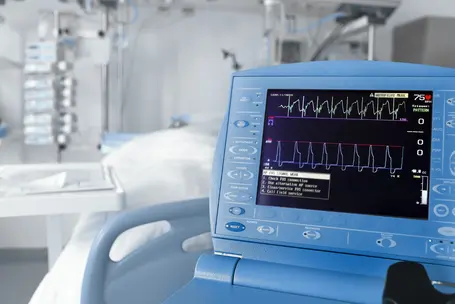
    A close-up of a medical monitor displaying heart rate and waveform data. The screen shows green and blue graphs, indicating vital signs, while instructions for checking connections are visible. The background resembles a hospital setting with medical equipment.

    Reliability in safety-critical systems

    In safety-critical systems, such as those found in medical devices, automotive control units, and industrial automation, reliability is paramount. the MPU add-on enhances system integrity, ensuring that faults in one task do not compromise an entire system. This guarantees continued operation even in the presence of software errors.

    A hand is adjusting a modern thermostat displaying a temperature of 22°C. The background shows a softly lit room with yellow chairs and a small table, suggesting a cozy living space.

    Data integrity in embedded applications

    For IoT and connected devices, security is a top priority. The MPU add-on enforces strict memory access rules, protecting sensitive data and preventing unauthorized code execution. The result? Significantly reduced risk of a security breach.

    A person is checking a smartwatch on their wrist, displaying the time and various fitness metrics. The hand is positioned to interact with the watch screen, which shows numerical values related to a workout or activity.

    Stability in consumer electronics

    For consumer electronics, such as smart home devices, wearables, and infotainment systems, the MPU add-on enhances reliability by preventing faults in one task from affecting an entire system. This ensures smooth and uninterrupted device operation, even if individual tasks encounter issues.

    How the MPU add-on works

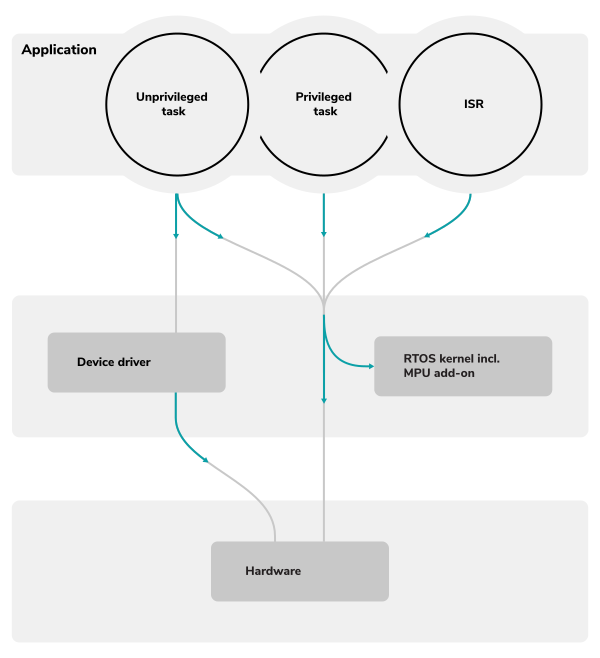
    Memory protection is a mechanism for controlling memory-access rights. It is part of most modern processor architectures and operating systems, and it prevents possible bugs or even malware contained in a task from affecting an entire system. For memory protection to work, certain application tasks must be restricted from accessing key system components like memory, special function registers, and the operating system's control structures, which could affect other tasks or the operating system itself.

    To enhance safety and security, MPU applications consist of two parts: a privileged section, responsible for system initialization and driver management, and an unprivileged section. If an unprivileged task violates access restrictions or triggers a fault, the MPU add-on detects the violation, automatically terminates it, and, if needed, executes a callback function to handle the event.

    The MPU add-on is available for embOS-Classic and embOS-Ultra.

    MPU support in embOS-Safe
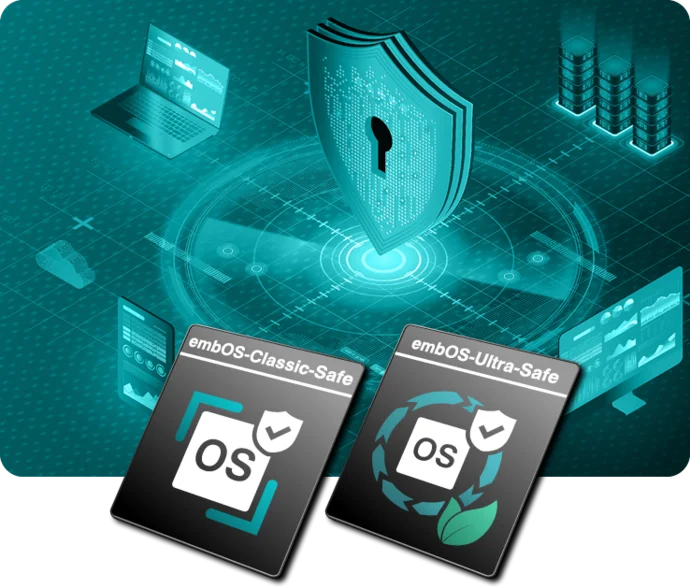
    An illustration featuring a central shield with a keyhole, symbolizing security. Surrounding it are icons of laptops, data charts, and buildings. At the bottom, two badges labeled "embos-Classic-Safe" and "embos-Ultra-Safe" highlight safety features related to operating systems.

    For safety-oriented system designs, memory isolation plays a key role. Where applicable, embOS-Safe already integrates MPU-based task isolation into its certified safety concept.

    embOS-Safe is the safety-certified edition of embOS for applications requiring compliance with standards such as  IEC 61508 SIL 3, IEC 62304 Class C, and ISO 26262 ASIL D, helping developers build reliable and secure embedded systems.

    More about embOS-Safe

    Latest news

    2025
    Apr.07
    Embedded Studio
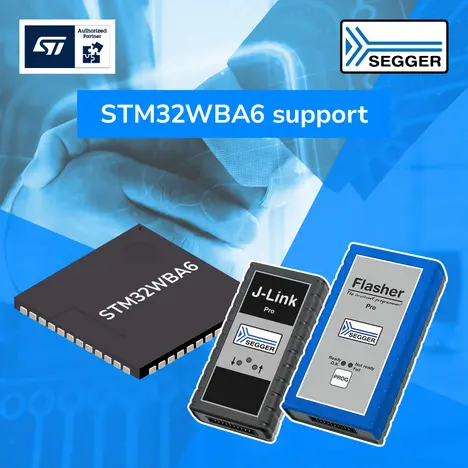
    STM microcontroller with J-Link and Flasher device

    SEGGER confirms product support for ST's STM32WBA6 microcontrollers

    SEGGER's Embedded Studio integrated development environment, SystemView software analysis tool, J-link and J-Trace debug and streaming-trace probes, and embOS real-time operating system now support ST's Arm Cortex-M33-powered STM32WBA6 microcontrollers for short-range applications.

    [Read more...]

    All news

    Get in touch with us

    Have questions or need assistance? Our Embedded Experts are here to help!

    Reach out to us for:

    • Licensing quotes
    • Technical inquiries
    • Project support


    Contact us

    • Knowledge Base
    • Release notes
    • Update notification
    • Pricing
    • Support
    • Silicon vendor resources

    Headquarters

    SEGGER Microcontroller GmbH

    Ecolab-Allee 5
    40789 Monheim am Rhein, Germany
    info@segger.com
    Tel.: +49-2173-99312-0
    Fax: +49-2173-99312-28

    Locations

    USA: SEGGER Microcontroller Systems LLC

    Boston area
    101 Suffolk Lane
    Gardner, MA 01440, USA
    us-east@segger.com
    Tel.: +1-978-874-0299
    Fax: +1-978-874-0599

    Silicon Valley
    Milpitas, CA 95035, USA
    us-west@segger.com
    Tel.: +1-408-767-4068

    China: SEGGER Microcontroller China Co., Ltd.

    Room 218, Block A, Dahongqiaoguoji
    No. 133 Xiulian Road
    Minhang District, Shanghai 201199, China
    china@segger.com
    Tel.: +86-133-619-907-60

    ISO 9001
    ISO 27001
    First-class embedded software tools since 1992
    Designed and made in Germany
    • Imprint
    • Disclaimer
    • Code of Conduct
    • Privacy Policy
    © 2026 SEGGER - All rights reserved.