• Products
  • Software evaluation
  • Downloads
  • Free utilities
  • Purchase
  • Silicon Vendors
  • Support
  • About us
  • Blog
  • Forum
  • Search
  • Jobs
  • Newsletter
  • Blog
  • Contact
  • Shop
  • Program embedded systems
  • Flasher SDK

    Flasher SDK

    Develop custom Flasher apps for flexible device programming and testing.

    • Complete software interface for custom Flasher-based solutions
    • Seamless integration into automated production environments
    • Enables fast and reliable programming of embedded devices
    Buy now
    An icon representing "Flasher SDK." It features a black background with the text "Flasher SDK" at the top. Below, an arrow points downward towards the word "SDK," flanked by two blue rectangles resembling circuit boards.
    1. 1.Overview
    2. 2.Use cases
      1. 2.1.Creating Flasher Apps
      2. 2.2.Adding Flasher device support
      1. 2.3.Building custom production test apps with Flasher SDK
    3. 3.Flasher Apps
    4. 4.Flasher Device Packs
      1. 4.1.Programming FPGAs and CPLDs
    5. 5.Flasher SDK Package
    6. 6.FAQ

    Overview

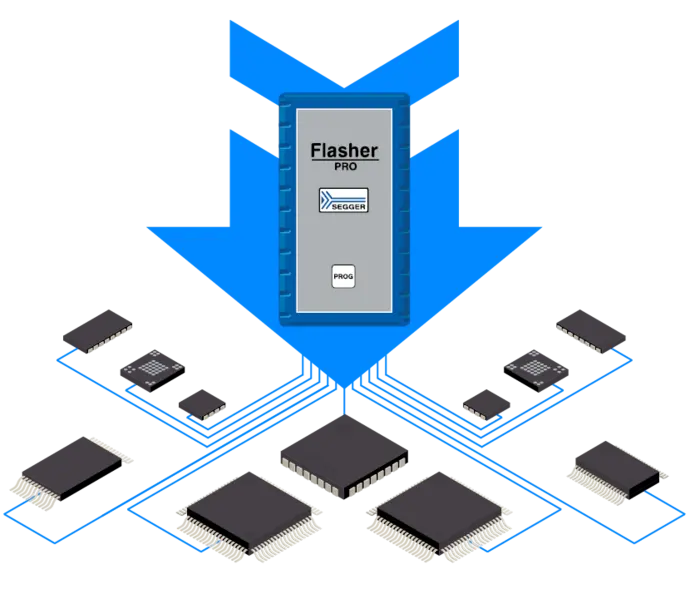
    Illustration of the SEGGER Flasher Pro device at the center, with multiple microchips radiating outward. Blue lines connect the Flasher Pro to the various chips, indicating data transfer or programming capabilities. The design highlights the device's role in programming and flashing microcontrollers.

    Flasher SDK lets developers create Flasher Apps that run directly on SEGGER Flasher programmers. These Apps handle programming, system tests, and diagnostics to ensure efficient workflows and high product quality. 

    SDK also enables users to add support for new or unsupported devices via Flasher Device Packs.


    Use cases

    A dark blue background features softly flowing waves, creating a sense of depth and movement. Small white dots are scattered throughout, resembling a digital or technological pattern, contributing to an abstract and modern aesthetic.

    Creating Flasher Apps

    Flasher Apps enable full access to a target interface and Flasher's capabilities. Apps written using Flasher SDK facilitate the creation of system tests to ensure production-process quality and verify operation of the final product before it leaves a programming station.

    A dark blue background features softly flowing waves, creating a sense of depth and movement. Small white dots are scattered throughout, resembling a digital or technological pattern, contributing to an abstract and modern aesthetic.

    Adding Flasher device support

    With Flasher SDK, users can add support for new devices and interfaces, giving them full control over programming for customized or newly introduced hardware. All standard and custom interfaces can be supported, and Flasher’s list of supported devices is independently expandable. This ensures early access to fast and reliable production tools for specific targets.

    Building custom production test apps with Flasher SDK

    Using a real-world setup, Jacob Beningo shows how Flasher Compact can program a target and then perform automated functional tests and validation with a custom Flasher App running directly on Flasher, completely standalone and without a PC.


    Flasher Apps
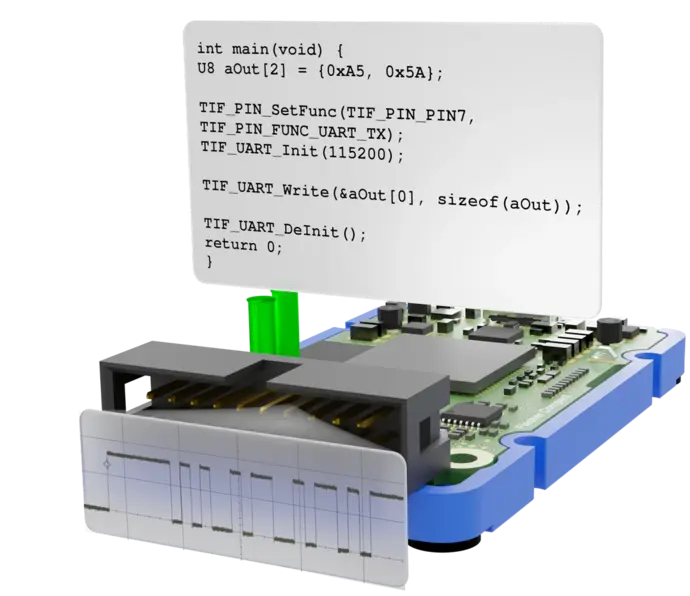
    A close-up view of a microcontroller board with a highlighted screen displaying C programming code. The code includes the function "int main(void)" and prints "Hello, World!" The board features various electronic components and a USB-C port.

    Flasher Apps are applications that run directly on a Flasher. They are sandboxed, which protects the integrity of the Flasher programmer and ensures safe execution.

    The capabilities of Flasher Apps go far beyond basic programming, however. Flasher Apps enable developers to:

    • Program internal MCU or SoC flash memory
    • Program external rewritable non-volatile memory
    • Program FPGAs or CPLDs
    • Run device and board tests during production
    • Provide diagnostic tools to support engineers in the field

    Flasher SDK includes a complete toolchain for App development. With Flasher App Builder, Apps can be built and tested before being deployed in production.

    With Flasher SDK, users gain full access to the Flasher firmware API and device attributes. Standard interfaces such as JTAG, SWD, SPI, UART, and I²C are supported out of the box. Flasher also provides two soft cores that can be programmed to replicate any interface protocol. Therefore, it is possible to control an entire target interface.


    Flasher Device Packs

    With Flasher SDK, new device support can be added by creating Flasher Device Packs. These packs define how a target device is programmed and can include RAM code, firmware calls, and device-specific initialization sequences.

    Flasher Device Packs can be distributed via an installer and used directly from U-Flash, allowing customers to easily and independently expand Flasher’s list of supported devices.

    Programming FPGAs and CPLDs

    Production departments faced with the task of programming FPGAs or CPLDs do not require the Flasher SDK, as Flasher programmers can program FPGAs and CPLDs using the tool Flasher Bitstreamer.
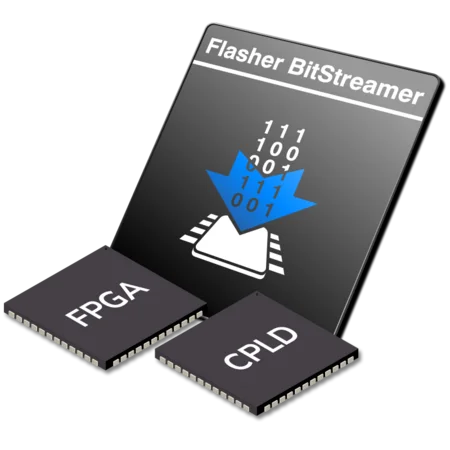
    Illustration of a Flasher BitStreamer device with binary code flowing downward into a central chip. Two additional chips labeled "FPGA" and "CPLD" are positioned to the left and right. This image represents a programming or configuration tool for digital circuits.

    Flasher SDK Package

    Flasher SDK includes everything needed to write Flasher Apps or add support for a new device to Flasher software.

    NameDescription
    Templates and samplesTemplates and samples for getting started with Flasher App development and the creation of custom device support.
    DocumentationExtensive documentation for Apps, Flasher Device Packs, the Compiler, info. on how to get started, and API references.
    ToolsTools for building and validating Flasher Apps, and for creating custom device support.
    Support6 months of free support (2h) and updates.


    FAQ

    Who can use the Flasher SDK?

    The Flasher SDK is available to everyone, including silicon vendors, OEMs, and companies developing products based on MCUs, SoCs, or memory devices.

    Can I use the Flasher SDK with unsupported CPU architectures?

    Yes. The Flasher SDK is specifically designed to add support for new or unsupported CPU architectures, interfaces, and devices by creating custom Flasher Device Packs and Flasher Apps.

    What is the difference between Flasher SDK, J-Link SDK, and J-Link DSK?

    The three extension kits expand J-Link, J-Trace and Flasher products in different ways:

    • J-Link DSK: Extends device support for targets based on CPU cores already supported by J-Link / J-Trace.
    • J-Link SDK: Enables integration of J-Link, J-Trace and Flasher functionality into custom PC application.
    • Flasher SDK: Enables custom device support and Flasher App development for production and testing.

    For a detailed comparison of compatibility and use cases, see the Extension Kits overview in the SEGGER Knowledge Base.


    Related content

    U-Flash

    U‑Flash is the configuration tool for SEGGER's Flasher production programmers. Production planners use U‑Flash to configure the programming setup. Production operators can use U‑Flash to trigger production programming.

    Overview

    Flasher Adapters – Which adapters are available for J-Link? Find out here! Everything you need to know. Learn more at SEGGER.

    RL78 14-Pin Programming Adapter

    RL78 14-Pin Programming Adapter – Maps from the standard 20-pin 0.1” to standard 14-pin E1 connector. Everything you should know. Learn more at SEGGER.

    Flasher performance

    Discover how SEGGER Flashers achieve maximum programming speed with optimized hardware, Turbo Mode, efficient firmware, and tightly integrated software.

    ST7 Adapter

    The ST7 Adapter enables SEGGER's Flasher single-unit programmers to program ST7 devices via the standardized 10-pin target interface.

    Latest news

    2026
    Nov.24
    Ozone

    SEGGER extends J-Link and Flasher support to Ambiq Apollo330 Plus and Apollo510 Lite

    SEGGER's J-Link debug probes and Flasher in-system programmers now support Ambiq's Apollo330 Plus and Apollo510 Lite microcontrollers. Developers can use J-Link for debugging and flash programming and Flasher for production programming of both devices. The addition of Apollo510 Lite also completes support for the entire Apollo510 family.

    [Read more...]
    2026
    Nov.23
    Partners

    SEGGER and ISSI expand flash memory programming support

    SEGGER and Integrated Silicon Solution, Inc. (ISSI) are strengthening their collaboration to expand programming support for ISSI flash memory devices. The collaboration gives embedded developers greater flexibility in choosing flash devices they can program with SEGGER's J-Link debug probes during development and Flasher in-system programmers in volume production.

    [Read more...]

    All news

    Get in touch with us

    Have questions or need assistance? Our Embedded Experts are here to help!

    Reach out to us for:

    • Licensing quotes
    • Technical inquiries
    • Project support


    Contact us

    • Update notification
    • Pricing
    • Buy now
    • Support
    • Silicon vendor resources

    Headquarters

    SEGGER Microcontroller GmbH

    Ecolab-Allee 5
    40789 Monheim am Rhein, Germany
    info@segger.com
    Tel.: +49-2173-99312-0
    Fax: +49-2173-99312-28

    Locations

    USA: SEGGER Microcontroller Systems LLC

    Boston area
    101 Suffolk Lane
    Gardner, MA 01440, USA
    us-east@segger.com
    Tel.: +1-978-874-0299
    Fax: +1-978-874-0599

    Silicon Valley
    Milpitas, CA 95035, USA
    us-west@segger.com
    Tel.: +1-408-767-4068

    China: SEGGER Microcontroller China Co., Ltd.

    Room 218, Block A, Dahongqiaoguoji
    No. 133 Xiulian Road
    Minhang District, Shanghai 201199, China
    china@segger.com
    Tel.: +86-133-619-907-60

    ISO 9001
    ISO 27001
    First-class embedded software tools since 1992
    Designed and made in Germany
    • Imprint
    • Disclaimer
    • Code of Conduct
    • Privacy Policy
    © 2026 SEGGER - All rights reserved.