SEGGER News

Your hub for the latest updates and insights from SEGGER. 


2022
Jul.01
J-Link
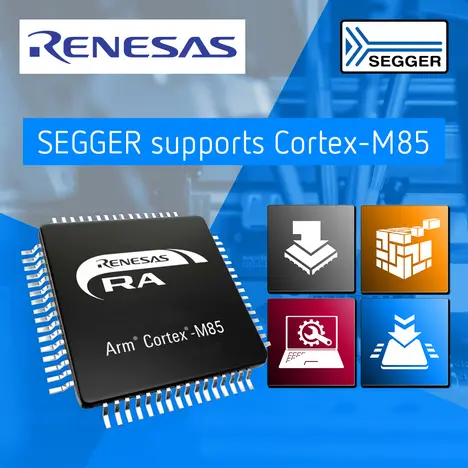
SEGGER News: SEGGER’s product line fully supports Arm Cortex-M85

SEGGER’s product line now fully supports the new Arm® Cortex-M85®. This includes SEGGER’s Embedded Studio IDE, its industry-leading J-Link debug…

[Read more...]
2022
Jun.21
Flasher
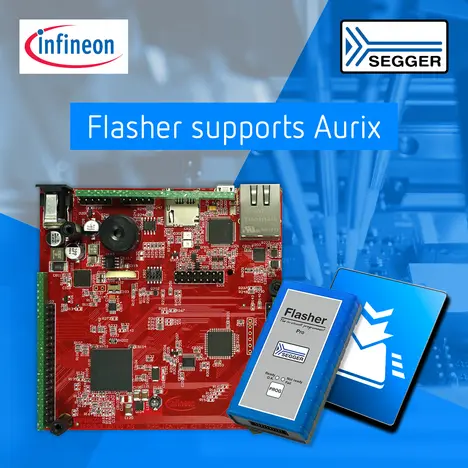
SEGGER News: SEGGER announces Flasher support for Infineon TriCoreTM AURIX

SEGGER’s family of Flashers now support the Infineon TriCore™ AURIX. Newly supported devices include: Aurix (SAK-TCxx) and Aurix2 (SAK-TC3xx).

[Read more...]
2022
Jun.01
emCompress
SEGGER News: SEGGER introduces emCompress-PRO software

emCompress-PRO, a new all-in-one compression software from SEGGER, comes with all industry standard compression algorithms. The software is designed…

[Read more...]
2022
May25
Blog
A laboratory flask with bubbles is featured alongside the SEGGER logo. Below, the text reads "SEGGER BLOG" and "See what’s cooking at SEGGER," indicating a platform for updates and insights related to SEGGER's activities.

This article discusses the basic principles of how to secure embedded systems and explains why having a digital signature plays a crucial rule.

[Read more...]
2022
May17
J-Link
The image shows a tutorial interface for SEGGER's J-Flash programming tool, featuring a playback icon in the center and information about a programming process on the screen. The background is a bright blue, with the SEGGER logo and "Flasher Tutorials" text above.

Learn how to use J-Flash with the Flasher.

[Read more...]
2022
May17
emWin
AppWizard Visual Studio Simulation Video Thumbnail

Learn how to start the emWin Visual Studio simulation within AppWizard.

[Read more...]
2022
May04
emUSB-Host
Graphic promoting "emUSB-Host Tutorials," featuring a play button and illustrations of USB devices, a keyboard, and headphones. The text highlights the theme "Getting started." The background is a gradient of blue, suggesting a tech-oriented topic.

Learn how to get started with SEGGER's emUSB-Host.

[Read more...]
2022
May02
emUSB-Device
An instructional graphic featuring the title "Getting Started" for emUSB-Device tutorials. A play button symbolizes video content. Illustrative icons depict a laptop connecting to a circuit board, emphasizing a focus on USB device integration. Background is a gradient of blue.

Learn how to get started with SEGGER's emUSB-Device.

[Read more...]
2022
Apr.22
emNet
SEGGER emNet — Getting started

Learn how to get started with SEGGER's dual IPv4/IPv6 TCP stack emNet.

[Read more...]
2022
Apr.21
Runtime Library
SEGGER News: SEGGER makes cutting-edge C++ library available for licensing

SEGGER’s emRun++ is a groundbreaking C++ library, fully compatible with the modern 2017 standard. It is used and proven in SEGGER’s multi-platform…

[Read more...]
2022
Apr.14
Flasher
SEGGER News: SEGGER and Renesas partner on Device Lifecycle Management (DLM) for RA MCUs

SEGGER, in cooperation with Renesas, has further expanded the features offered by SEGGER’s professional line of Flasher in-circuit programmers. In…

[Read more...]
2022
Apr.07
RISC-V
SEGGER News: Nuclei Studio IDE now with SEGGER’s emRun runtime library for RISC-V

SEGGER and Nuclei System Technology, a China-based RISC-V processor IP and solution company, announce that the Nuclei Studio IDE now comes integrated…

[Read more...]
2022
Mar.30
Embedded Studio
SEGGER News: SEGGER Embedded Studio for Arm now with hard real-time C++ support

SEGGER’s Embedded Studio for ARM Version 6 now offers real-time memory management which improves efficiency and response time for allocating and…

[Read more...]
2022
Mar.23
Blog
A laboratory flask with bubbles is featured alongside the SEGGER logo. Below, the text reads "SEGGER BLOG" and "See what’s cooking at SEGGER," indicating a platform for updates and insights related to SEGGER's activities.

This article describes a new capability that is now available in Embedded Studio to support real-time dynamic storage allocation.

[Read more...]
2022
Mar.22
J-Link
Image highlighting a tutorial for configuring J-Link devices. The interface displays options for products connected via USB and TCP/IP, including details like nickname, serial number, and firmware version. A pointer indicates a specific entry for "Flasher Compact V5.00." The SEGGER logo is visible in the corner.

Learn how to configure a J-Link using SEGGER's J-Link Configurator.

[Read more...]
2022
Mar.22
J-Link
Image shows the SEGGER J-Link Commander interface on a blue background. It displays connection status, firmware, and hardware version information, alongside a J-Link device with USB and LAN ports. A play button is overlaid, indicating video content related to J-Link tutorials.

Learn how to verify the functionality of your J-Link using SEGGER J-Link Commander.

[Read more...]
2022
Mar.16
RISC-V
The image features a logo for "Embedded Studio" highlighting the integration of C++ programming with hard real-time systems, specifically for RISC-V architectures RV32 and RV64. The background displays coding elements, emphasizing a technical and programming context.

SEGGER’s Embedded Studio for RISC-V, Version 6, now uses real-time memory management which improves efficiency and response time when allocating and…

[Read more...]
2022
Mar.14
emWin

SEGGER today announced that Renesas Electronics has extended its license for emWin, SEGGER's graphical user interface (GUI) library, for its entire…

[Read more...]
2022
Mar.10
RISC-V

SEGGER today announces its partnership with HPMicro Semiconductor Inc. (HPMicro), a leading supplier of high-performance MCUs and embedded solutions.…

[Read more...]
2022
Mar.04
emWin

Learn how to create a gauge with the SEGGER emWin AppWizard.

[Read more...]